This section describes how HR authorizes the update of the HR system for the leave requested.
Roles: HR Department
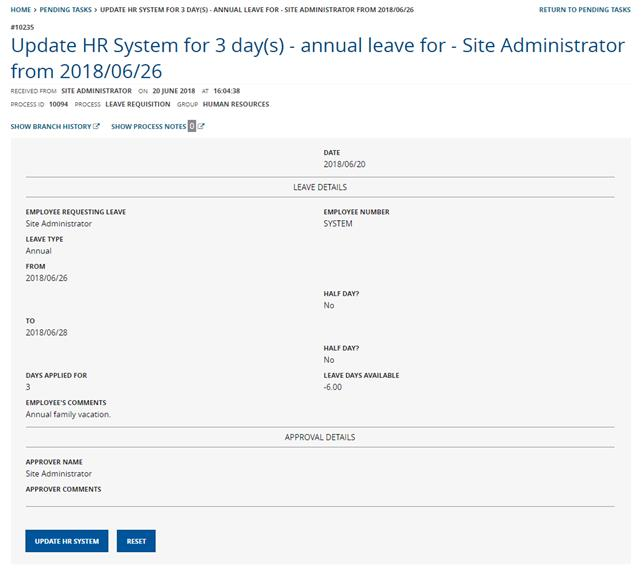
The HR Clerk will log onto the [Company] FlowCentric website and navigate to the Pending Tasks >> Update HR System menu option and the form will be shown to the employee, as seen in Image 10.
Image 10 – Update HR System
The HR Clerk would use this activity to complete the application and all that is required is to click the “Update HR System” button, and the process will be archived.