3.3.4. Execute the Function
Access to the application is provided via the PortalSSO Tiles Menu for central point of access and authentication of the business web applications.
Step 1: Login
· Access to the application is provided via the PortalSSO Tiles Menu for central point of access and authentication of the business web applications.
· Select the relevant application tile on the menu
· Select the EA environment to be accessed
· Admin User will be logged into the module
· Select the application tile on the menu
· The selected tile will display various EA options including the environments that have been setup for EA
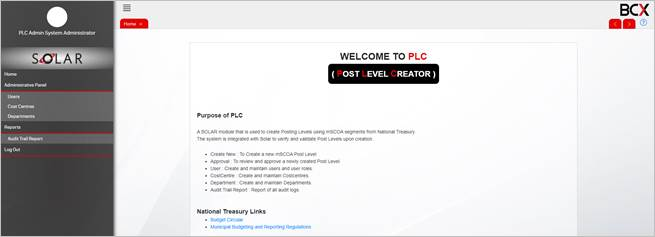
Step 1 Illustration – Admin User Dashboard:
Step 2: Cost Centres
· Select menu option ‘Cost Centres’
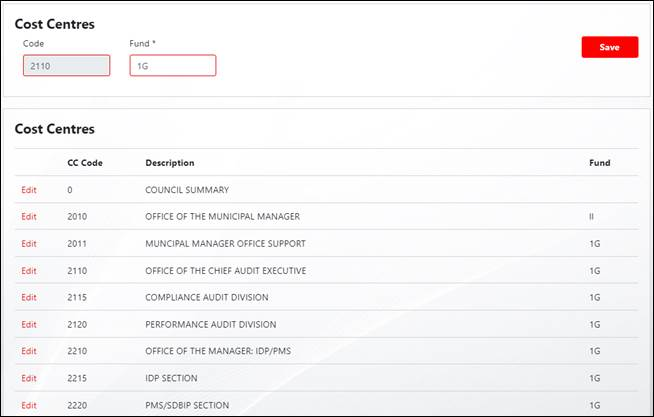
· ‘Cost Centres’ capture screen will be displayed with a listing of the cost centres
· Select ‘Edit’ next to the cost centre to be edited
· Fields will be activated for editing
· Capture the Fund code in the field provided
· ‘Save’ the changes made
Step 2 Illustration - Edit Cost Centres: